
For those seeking an OnlyFans Overview, it is a subscription platform where creators charge fans for exclusive content, messaging, tips, and pay-per-view. It lets creators earn directly from supporters while giving you control over what you see and pay for.
Disclosure: this article has one affiliate link, to NordVPN. If you buy through it, we may earn a commission at no extra cost to you.
OF Creators post behind paywalls, set prices, and interact privately. The platform works for both adult and non-adult creators. The next sections offer an OnlyFans Overview by breaking down its core features, what it feels like to use, and the rules that shape its community.
OnlyFans Overview: Core Features of the OnlyFans Platform
OnlyFans gives creators tools to upload and schedule media, set subscription prices, send private messages, and sell extra content directly to fans. It puts the focus on direct creator-to-fan payments, flexible monetization, and control over who sees each post, making an OnlyFans Overview crucial for new users.
Content Creation Tools
Creators can upload photos, videos, and text posts from desktop or mobile. They can schedule posts ahead of time and organize content into pinned posts or collections for easy access.
Rhe platform supports drafts and basic post editing, allowing creators to prep content, tweak captions, and set visibility controls—public, subscribers only, or custom lists—to target specific audiences.
OnlyFans lets creators add tags and simple metadata to track content types. Advanced editing or effects aren’t built in, so most creators edit media elsewhere before uploading.
Subscription Model
Creators set a monthly subscription price for their profile and can change it anytime. Fans pay this fee to see subscriber-only content and unlock creator posts hidden behind the paywall.
An OnlyFans Overview can help you understand that the platform processes payments and takes a percentage of creator earnings. Creators get payouts on a schedule they set in their account settings.
They can run free trials, limited-time discounts, or bundle offers to attract new subscribers. Metrics like subscriber counts and revenue breakdowns help creators check their pricing and retention.
Direct Messaging
Direct messaging lets creators and fans exchange private texts, photos, and videos. Creators can charge per message or accept tips in chat to monetize one-on-one interactions.
Messages can include pay-per-view (PPV) attachments, so creators sell specific content directly in chat. In this OnlyFans overview, we also explain how creators control who can message them by adjusting settings or blocking users when needed
Message threads track payment receipts and delivery status. This helps creators manage requests and paid conversations.
Media Monetization Options
OnlyFans offers several ways to earn: subscriptions, tips, pay-per-view posts, and custom paid messages. Each option lets creators price content directly and get paid by fans.
Pay-per-view posts lock certain content behind a one-time fee, while tips let fans reward creators for individual posts or interactions. Creators can also sell bundles or offer custom content for higher fees.
Payouts show up in the creator dashboard with simple breakdowns for each income type. The platform manages payment processing and basic reporting, but creators handle taxes and outside promotion themselves.
OnlyFans Overview: User Experience and Community Guidelines
Here’s how users sign up, protect their accounts, and handle payments on the platform. This overview covers steps users need to take, required documents, safety features, and how money moves between creators and subscribers on the site.
Account Registration and Verification
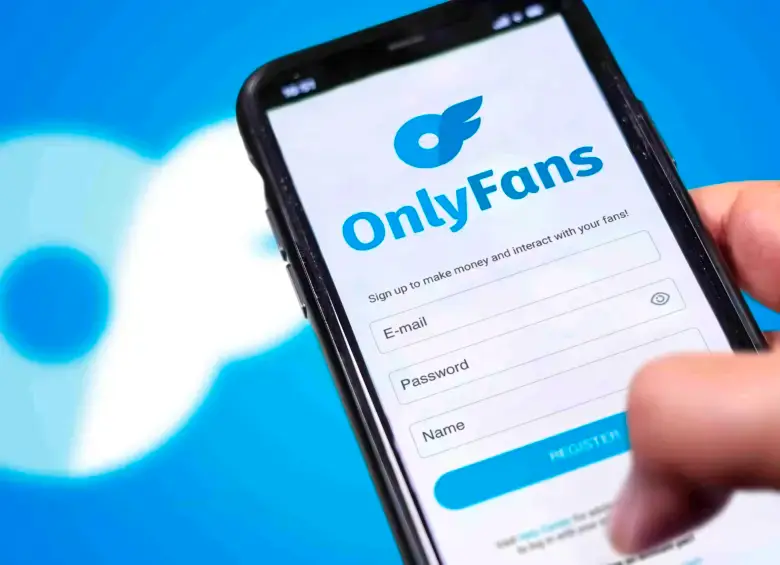
Creators and subscribers start by creating an account with an email, username, and password. Creators have to complete identity verification before they can earn—they upload a government ID, a recent selfie, and sometimes proof of address.
The platform reviews these documents to confirm age and identity. Profiles need a display name, bio, and an optional profile photo. Creators set subscription prices and content tags during setup. If verification fails, users get instructions to resubmit clearer photos or different ID types. Accounts that keep failing verification might face temporary holds.
Here is a user-friendly, step-by-step guide on how to create an OnlyFans account.
OnlyFans Overview: Privacy and Security Measures
The platform offers two-step authentication to protect logins. Users can enable SMS or app-based codes for extra security. Creators can restrict content by subscriber tier and block specific accounts. Personal documents are stored securely and used only for verification.
OnlyFans enforces community guidelines that ban illegal content and harassment. Users should set strong, unique passwords and check connected devices in account settings to spot unknown access quickly.
Payment Processing
Creators get payouts by bank transfer, wire, or through linked third-party processors. The available options depend on where you live. The platform takes a commission from creator earnings. You’ll see net payouts and any fees right on your dashboard.
Payout schedules aren’t one-size-fits-all. Some creators can request daily or weekly transfers, while others end up with monthly batches. As part of our OnlyFans overview, subscribers pay using credit or debit cards or any supported digital payment methods. If a payment fails, the system automatically retries and notifies the subscriber.
Refunds and disputes follow the platform’s policy. Creators control access to paid content, but payment reversals can still happen if there are billing issues or someone violates policy.
A note on privacy
A VPN hides your IP address from the sites you visit and hides your browsing from whoever runs the network you’re on. It doesn’t hide your card payments from your bank, and it doesn’t hide your account from the platform. Don’t use it to get around age checks or country rules. That breaks the rules of most platforms.
If you want one for everyday privacy, NordVPN is the one we link to.
Affiliate linkWe may earn a commission if you buy, at no extra cost to you.
Frequently Asked Questions
OnlyFans is a subscription-based platform where creators share exclusive content with paying fans. It allows both adult and non-adult creators to monetize photos, videos, text posts, and one-on-one interactions through subscriptions, tips, and pay-per-view content.
Creators earn via monthly subscriptions, tips from fans, pay-per-view (PPV) posts, and custom content requests. OnlyFans processes payments and takes a commission, while creators control pricing and access to their content.
Creators can upload photos, videos, and text posts. Content can be scheduled, organized into collections, and restricted to subscribers or specific audience lists. Advanced editing is done externally before uploading.
Creators set a monthly subscription fee for access to exclusive content. They can offer free trials, limited-time discounts, or bundle deals to attract subscribers. Subscribers pay through supported payment methods, and creators receive payouts on a chosen schedule.
Yes. Direct messaging allows creators to exchange private messages, photos, and videos. Creators can monetize these interactions via pay-per-message charges or tips, and manage who can contact them.
OnlyFans offers two-step authentication, secure document verification, and content controls. Creators can block users, restrict content, and manage access to ensure privacy and security. Personal documents are stored securely for identity verification.
Creators must provide a government-issued ID, a selfie, and sometimes proof of address. OnlyFans reviews documents to confirm age and identity before creators can earn money or publish paid content.
Creators receive payouts via bank transfer, wire, or supported payment processors. Subscribers pay using credit/debit cards or digital methods. OnlyFans handles fees, commission deductions, and payout scheduling, but creators manage taxes and promotion.
Successful creators post consistently, mix free and paid content, engage personally with fans, and use clear, high-quality visuals. Tracking engagement helps refine content, while using secure passwords and privacy measures protects accounts.
Yes. OnlyFans supports creators from various niches, including fitness, cooking, music, art, and education. Monetization features are the same: subscriptions, tips, and pay-per-view posts.
Disclaimer: All content published in this section is for informational, commentary, and news purposes only. We do not own or claim rights to third-party images, names, or trademarks, which are used under Fair Use (17 U.S.C. §107). No affiliation with or endorsement by OnlyFans or featured creators is implied.