


Last checked:
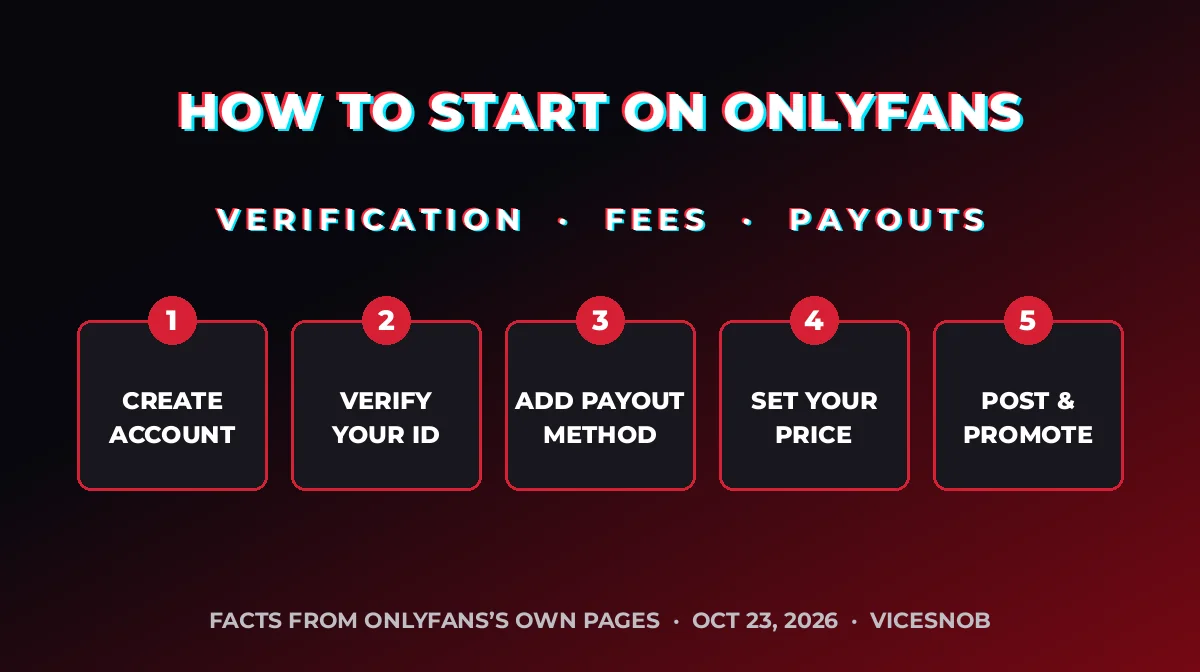
To start on OnlyFans, you open an account and then pass OnlyFans’s creator check. That means a government photo ID, a selfie holding that ID, bank details and, if you live in the US, a W-9 tax form. Once you are approved, you set a price (or go free), post, and OnlyFans keeps 20% of every fan payment.
A note on privacy
A VPN hides your IP address from the sites you visit. It doesn’t hide card payments from your bank, or your account from the platform. Don’t use one to get around age checks or country rules.
Affiliate linkWe may earn a commission at no extra cost to you.
Key takeaways
- You must be 18 or older, and OnlyFans checks your ID, your age and your face before you can post or get paid.
- OnlyFans takes a 20% fee from each fan payment. On a $10 payment you keep $8, before bank fees and taxes.
- New earnings wait in a pending balance first. OnlyFans’s own example holds a tip for about a week.
- In our Creator Pricing Study, paid creators charged $4.99 to $35 a month, and the middle price was $12.99.
- Nobody can promise you will earn money on OnlyFans, and its own rules ban referrers from saying so. We make no earnings claims.
Referral disclosure. The sign-up buttons on this page use ViceSnob’s OnlyFans referral link. OnlyFans’s Referral Program Terms (last updated August 2024, read October 23, 2026) say a referrer is paid 5% of the fan payments a referred creator earns in their first 12 months, up to US$50,000. OnlyFans pays that, not you, and it does not come out of your earnings. A referred creator can leave the program at any time. You can also go straight to onlyfans.com without our link. We wrote the rest of this guide from OnlyFans’s own pages and our own study, not from the referral terms.
Referral link. If you sign up through it, OnlyFans may pay ViceSnob a referral fee. It does not change what you pay or keep.
What do you need before you sign up for OnlyFans?
OnlyFans’s verification page says a creator must provide at least nine pieces of personal information and documents before posting. Its Creator Center lists the same set. Have these ready:
- Your full legal name and a verified email address
- Your mailing address and date of birth
- A valid government-issued photo ID
- A clear selfie, plus a selfie while holding your ID
- Your social media account handles
- Your bank account details
- A W-9 form, if you are a creator in the US
Approval is handled by OnlyFans’s own review team, which combines people and software. After that, OnlyFans says every creator account gets a repeat “selfie check” on a rolling 45-day cycle. Use your own documents only.
How do you start on OnlyFans, step by step?
- Check the basics. You must be at least 18. OnlyFans requires this of creators and fans alike.
- Create your account. Use an email address you can keep and a strong, unique password.
- Apply as a creator. Send your ID, selfies, handles, bank details and tax form. Wait for OnlyFans to approve you.
- Add your payout method. The options depend on where you live. See the table below.
- Set up your profile and your price. Choose a paid subscription or a free page (more on that below).
- Post before you ask for tips. OnlyFans says a profile needs at least five posts to be eligible for tips.
- Keep a steady schedule. OnlyFans’s own advice is to save pay-per-view posts for content fans cannot find anywhere else.
How much does OnlyFans take?
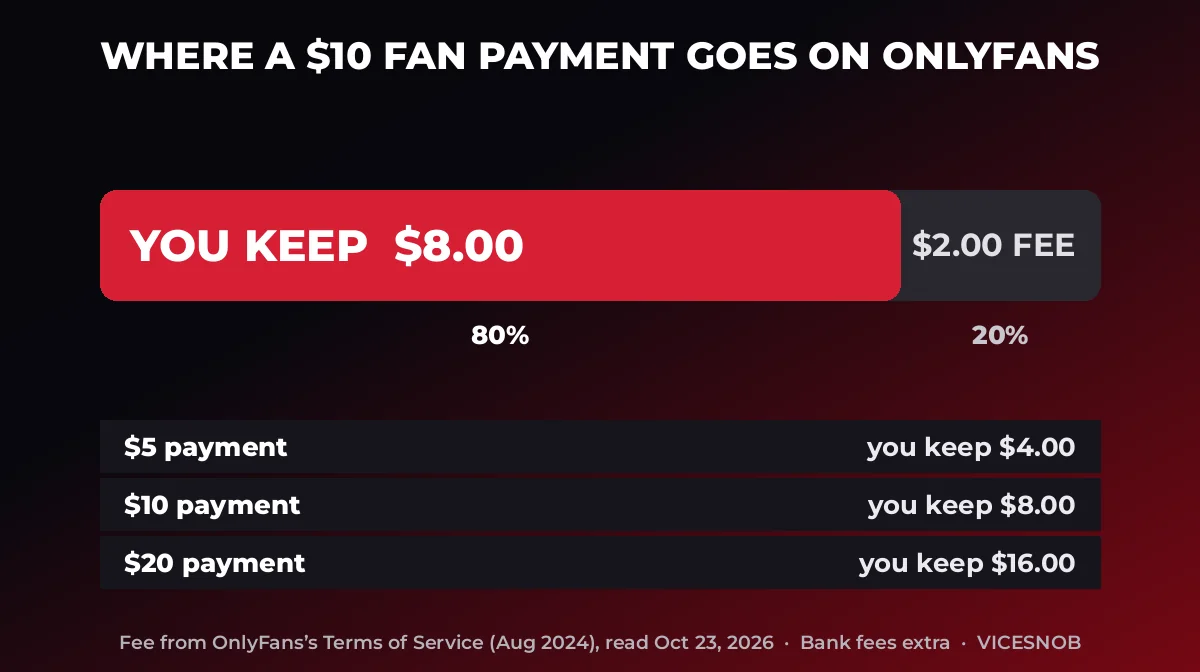
OnlyFans’s Terms of Service (last updated August 2024) say its fee is 20% of the total fan payment, taken from each payment. That covers subscriptions, tips and pay-per-view.
| Fan pays | OnlyFans keeps (20%) | You keep (80%) |
|---|---|---|
| $5.00 | $1.00 | $4.00 |
| $10.00 | $2.00 | $8.00 |
| $20.00 | $4.00 | $16.00 |
All payments are in US dollars, so a bank or e-wallet may add currency fees. Tax rules depend on where you live, so talk to a tax professional. Our guide to creator taxes and the IRS shows what can go wrong.
When and how do you get paid?
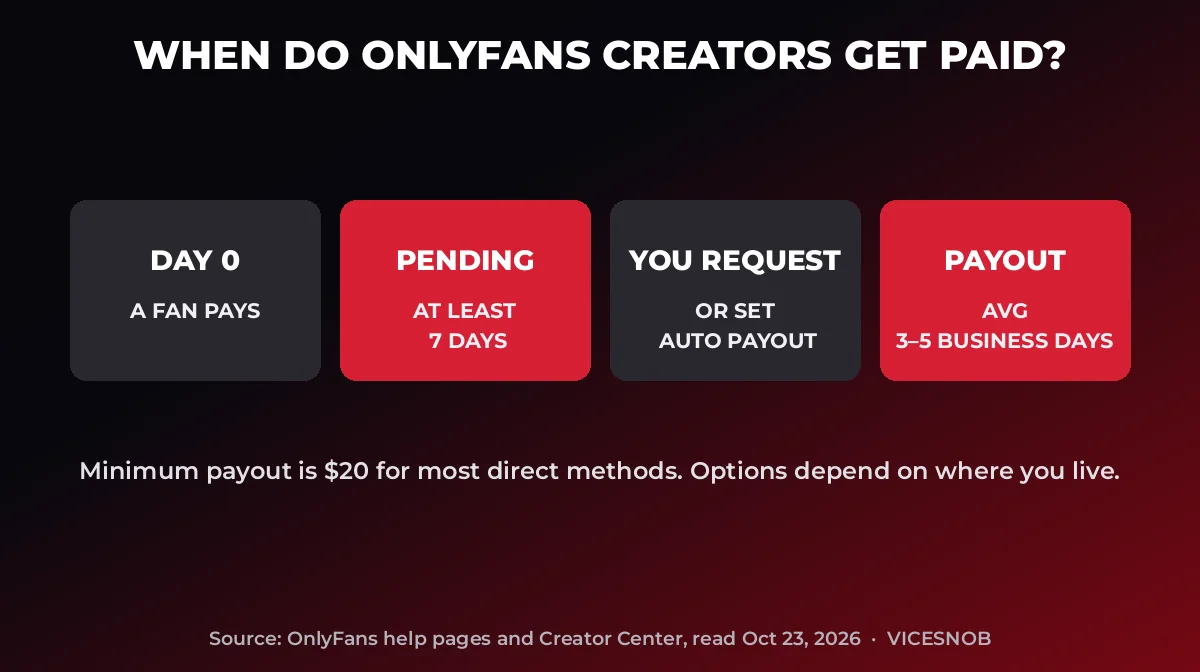
OnlyFans adds all earnings to a pending balance first. Its example: a tip on June 1 stays pending until at least June 8. After that, the money moves to your current balance and you can withdraw it manually or set an automatic weekly or monthly payout. OnlyFans says payouts average three to five business days.
| Region | Direct transfer | Other methods |
|---|---|---|
| United States | ACH: $20 minimum, 1 to 3 days | None listed in the chart |
| United Kingdom | Direct (OCT): $20, under a day | Bank transfer (SWIFT) $200; e-wallet $100 |
| Europe | Direct (OCT): $20, under a day | Bank transfer (SEPA) $100, 1 to 3 days; e-wallet $100 |
| Canada and Australia | Direct (OCT, AUD only): $20, under a day | Bank transfer $100, 1 to 3 days; e-wallet $100 |
| Other countries | Direct (OCT): $20, 1 to 3 days | SWIFT $500, 3 to 5 days; e-wallet and Paxum $100 |
Should you charge a subscription or go free?
Both work. OnlyFans says free accounts can still earn through tips, pay-per-view posts and messages, and that some of its top earners charge no subscription. It also says free accounts tend to gain subscribers faster. Paid accounts put everything behind a paywall, which can make earnings steadier.
Here is what real creators do. Our Creator Pricing Study covers 103 creators, with prices read on October 14, 2026. Of those, 69 charged a monthly price from $4.99 to $35, with a median of $12.99, and 34 were free. The table shows regular prices, not first-month deals.
| Creator | Regular monthly price (read Oct 14, 2026) |
|---|---|
| Abella Danger | Free |
| Brandi Love | $4.99 |
| Kendra Lust | $7.99 |
| Angela White | $9.99 |
| Asa Akira | $12.99 |
| Belle Delphine | $35 |
Some of these creators were running first-month deals when we read their pages. If you plan to run a deal, set your regular rate first. See the full list on the pricing study page, or browse our best OnlyFans creators list.
What should you set up after you are approved?
- A link page. See what new data says about link pages in our Linktree for OnlyFans guide.
- Your tools. Read our look at OnlyFans creator tools before paying for extras.
- A backup plan for money. Some creators lose bank access. Our story on creator debanking explains the risk.
- A second platform, if you want one. Our OnlyFans vs Fansly comparison lays out the fees and rules side by side.
Referral link. If you sign up through it, OnlyFans may pay ViceSnob a referral fee. It does not change what you pay or keep.
Frequently asked questions
How old do you have to be to start on OnlyFans?
At least 18. OnlyFans says this applies to creators and fans, and that it is against its rules for anyone younger to view, access or post content.
How much does OnlyFans keep from creators?
20% of each fan payment, according to its Terms of Service (August 2024). You keep the other 80%, before any bank, currency or tax costs.
How long until you get paid?
New earnings sit in a pending balance first, for about a week in OnlyFans’s own example. After that, OnlyFans says payouts take three to five business days on average, and its chart shows one to three days for some methods.
Can you start with a free page?
Yes. OnlyFans says free accounts can still earn from tips, pay-per-view posts and messages. Some creators run a free page and a paid page together.
What is the OnlyFans referral program?
A referrer gets 5% of the fan payments a referred creator earns in their first 12 months, up to US$50,000, per OnlyFans’s terms (August 2024). OnlyFans pays it, not the creator. The referred creator must register in the same browser where they clicked the link. ViceSnob uses a referral link on this page, which is why the disclosure is at the top.
How much will you earn?
We can’t say, and nobody can for you. OnlyFans’s own referral terms bar referrers from suggesting any creator will make a particular sum, or any money. Results vary widely.
Sources and when we checked
Last verified: October 23, 2026. Facts about fees, verification and payouts come from OnlyFans’s own pages, read on that date. Prices come from our Creator Pricing Study (read October 14, 2026). Policies can change, so check the pages below before you sign up.
- OnlyFans Terms of Service (last updated August 2024)
- OnlyFans Age and Identity Verification page
- OnlyFans Creator Center
- OnlyFans Referral Program Terms (last updated August 2024)
Disclosure: ViceSnob uses an OnlyFans referral link on this page and may earn a referral fee. It never changes our facts or what you pay. This guide is general information, not tax or legal advice.







Leave a comment